rhoadley.net music research software blogs
aru seminars m&t critski focm1a cmc circuit bending mic2b sensor technology comp 3 sonic art major project
youtube vimeo facebook
Resources: Bioacoustics Jitter MaxMSP OSC Physical PD CBHH sTech SuperCollider C/Xcode
sTech Resources: Home Blog Forum Examples Projects Tasks Tutorials
Sensor Technology Tasks
Multiplexing with the Arduino
| Task 12 | Multiplexing | Set: w9i | Due: Monday 19th December 2016 | Weighting: assessable (10%) | Courses: stech |
| Prev Task: Audio Shield | Next Task: Communicate Wirelessly | ||||
| Task Summary | All sTech tasks | ||||
Mulitplexing
This is multiplexing
Resources
- http://www.arduino.cc/playground/Learning/4051
- Instructions from Arduino Playground
- Go to 'multiplex' and 'multiplexing' here.
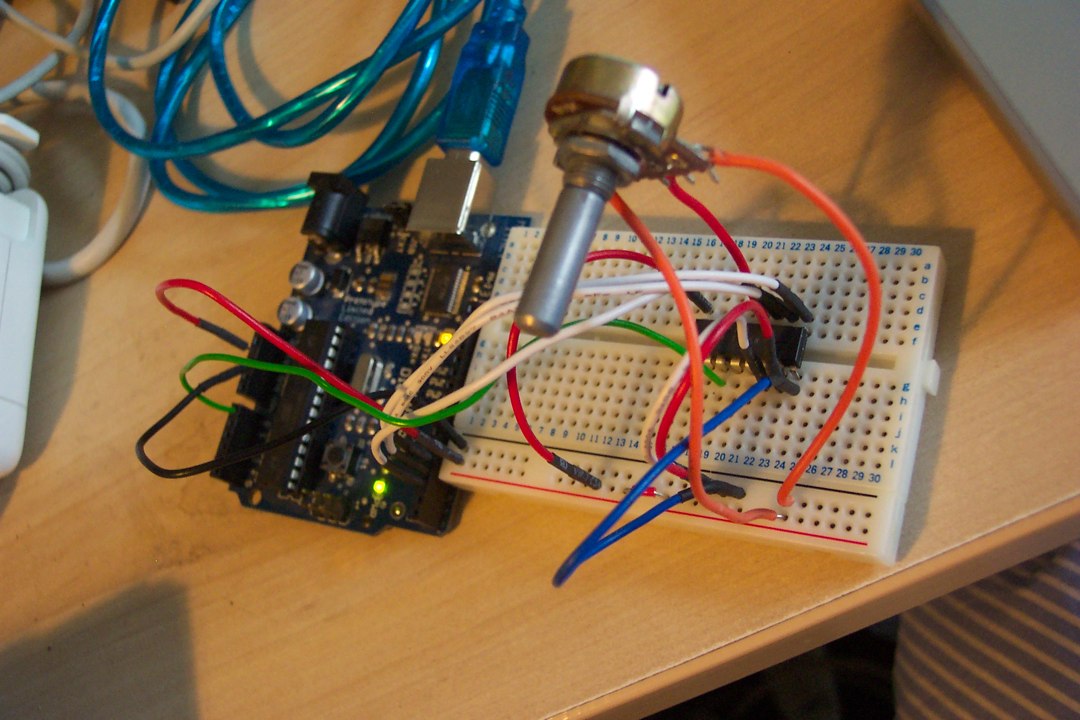
- Image of set up
- The relevant part:
4051 analog multiplexer/demultiplexer -
Rapid:
4051BM 8 CHANNEL MULTIPLEXER SO-16 (TI) part number 83-0289
4051B ANALOGUE MULTIPLEXER/DEMULT (RC) 83-0384
Code
/*
 * codeexample for useing a 4051 * analog multiplexer / demultiplexer
 * by david c. and tomek n.* for k3 / malms hsgskola
 * modifications by Richard Hoadley
 * rhoadley.net
 *
 */

int led = 13;    // LED (not necessary)
int r0 = 0;      // value select pin at the 4051 (s0)
int r1 = 0;      // value select pin at the 4051 (s1)
int r2 = 0;      // value select pin at the 4051 (s2)
int row = 0;     // storing the bin code
int count = 0;    // just a count
int  bin [] = {000, 1, 10, 11, 100, 101, 110, 111};// bin = binary value
int val = 0;

void setup(){

  pinMode(2, OUTPUT);    // s0
  pinMode(3, OUTPUT);    // s1
  pinMode(4, OUTPUT);    // s2
  digitalWrite(led, HIGH);
  Serial.begin(9600);
}

void loop () {

  for (count=0; count<=7; count++) {
    row = bin[count];
    r0 = row & 0x01;
    r1 = (row>>1) & 0x01;
    r2 = (row>>2) & 0x01;
    digitalWrite(2, r0);
    digitalWrite(3, r1);
    digitalWrite(4, r2);
    // Serial.println(bin[count]);


    if ( bin[count] == 0 )
      {
        // Serial.println("true");
        val = analogRead(0);
        Serial.print("y0: ");
        Serial.println(val);
      };

    if ( bin[count] == 11 )
      {
        // Serial.println("true");
        val = analogRead(0);
        Serial.print("y3: ");
        Serial.println(val);
      };

    delay (10);
  }  // end of for

} // end of loop
To Cover
- Multiplexing and demultiplexing
- Uses
- Other uses (e.g. Teabox, audio interfaces, Madrona Labs, etc.)
- Disadvantages
Ramifications
- Using many more than the normal range of inputs and outputs from the Arduino, but not without some cost to responsiveness under some circumstances.
|

You might also be interested in:
The Projects
The projects and tasks are designed to help you through the various courses and materials that you'll have to deal with, and also to provide an active and practical element to what could otherwise become a rather dry and technical exercise. Tasks are small exercises - you may be asked to complete one or two per week. Projects are larger and carry a higher percentage of the mark. We will undertake two, three, four or more projects and tasks. The final project is usually an individual choice project, and will be worth significantly more than the others in terms of percentages in your portfolio. We will usually try to set aside a time to perform the projects in a public setting.